Deep Work and Your Phone: Why Notifications Destroy Focus
Cal Newport defines deep work as focused, uninterrupted effort on cognitively demanding tasks. The kind of work that produces your best output. Writing, coding, strategy, analysis, creative work. The stuff that moves your career forward.
Your phone makes deep work nearly impossible. Not because you’re weak. Because the phone is engineered to interrupt.
The interruption math
The average person checks their phone 142 times daily. During an 8-hour workday, that’s roughly once every 3.4 minutes. Research on task switching shows it takes 15-25 minutes to fully re-engage with a complex task after an interruption.
Do the math. If you check your phone every 3-4 minutes, you never reach deep focus. Not once during the entire workday. You spend the day in shallow work — responding, reacting, skimming. The deep work never starts because the interruptions never stop.
But the real cost isn’t the minutes lost to the distraction itself. It’s the 15-25 minutes of re-engagement after each one. Those compound into an entire workday of shallow processing — busy from morning to evening, yet never once in deep focus.
Why “phone in another room” works
The most effective deep work technique is the most boring: put the phone in a different room. A 2017 study from UT Austin found that the mere presence of a smartphone — even face-down, even silenced — reduces cognitive capacity. Your brain spends resources monitoring the phone’s presence and suppressing the urge to check it. Those resources are unavailable for the task.
Phone in another room: cognitive performance improved significantly. Phone on the desk face-down: performance was measurably worse. The phone doesn’t need to ring. It just needs to exist within reach.
For deep work, the phone can’t be in the room. Not on silent. Not face-down. Not in a drawer. In a different room. The cognitive cost of its presence is too high.
Why “phone in another room” isn’t enough
You can put your phone across the house for a 2-hour deep work block. That works during the block. Then the block ends. You retrieve the phone. The accumulated notifications pull you in. You spend 30 minutes catching up. Then you scroll for another 30 because you’re already holding the phone.
The deep work literature focuses on protecting the work session. It doesn’t address what happens when the session ends and the phone comes back. Newport’s advice — quit social media, use a dumb phone, batch your phone use — works for the rare person willing to restructure their entire digital life. For everyone else, the phone comes back after the deep work block, and the scroll resumes.
The total phone time might not change. You concentrated it into fewer, longer sessions instead of spreading it across the day. The deep work improved. The phone problem didn’t.
The missing piece: making the phone worse
Deep work needs two things. A protected session where the phone can’t interrupt. And a phone that’s less appealing when the session ends so the post-session binge doesn’t erase the gains.
Cursed Screen handles the second part. After a grace period, visual overlays fill the screen — glass cracking, a red glow seeping in, insects at the edges. The phone still works. You can check messages, respond to the notification that came in during your deep work block. Quick functional use stays clean.
But the 45-minute post-session scroll? The overlay makes it visually uncomfortable by minute 15. You put the phone down sooner. The deep work gains stick because you don’t immediately dump them into a dopamine binge.
Session-based tracking fits the deep work pattern. During your deep work block (phone in another room), the overlay resets. When you pick the phone back up, you get a clean grace period for functional tasks. The overlay only intensifies if you keep scrolling past the grace period. The phone distinguishes between “checking in” and “falling into the scroll.”
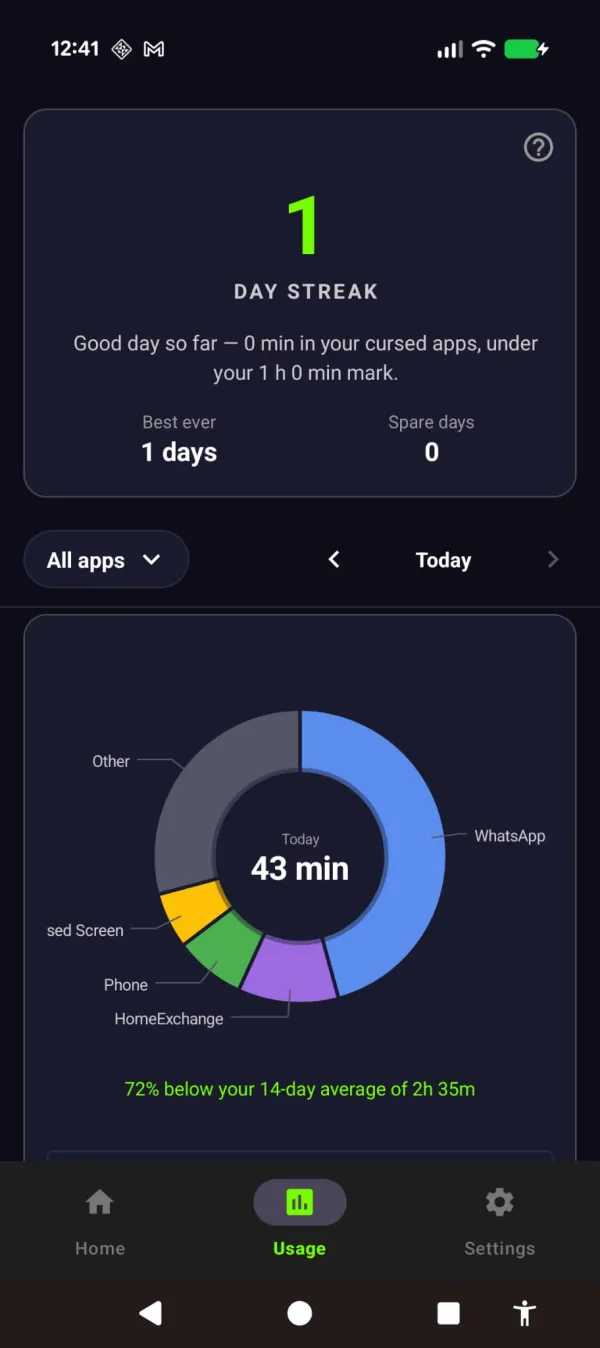
Protect the hours and it counts: a streak for the days you stayed under, so the deep-work gains show up somewhere.
A deep work setup that survives the phone
-
During the session: Phone in another room. Not on the desk. Not in a pocket. Another room. Use a $10 alarm clock if you need a timer. Your laptop stays on Do Not Disturb.
-
Between sessions: Cursed Screen running in the background. Grace period set to 10-15 minutes for functional phone use. The overlay catches extended scrolling without penalizing quick checks.
-
No app blockers needed. Blockers create a fight. You spend cognitive resources resisting the urge to disable them. That’s cognitive energy you need for the deep work. Cursed Screen doesn’t fight you. It just makes the phone less appealing when you’ve been on it too long.
The goal isn’t zero phone. Newport’s “quit social media” prescription works for tenured professors. For everyone else, the goal is: protect the deep work hours, limit the damage in between. Free trial on Android. Subscribe monthly or annually, or pay once for lifetime access.
Your best work happens when your phone isn’t in the room. Your best phone habits happen when the phone stops rewarding extended use. Handle both.
Reduce your screen time — without blocking anything
Cursed Screen makes your phone progressively uglier the longer you use it. No blocking, no willpower needed — you'll want to put it down.
Get Cursed Screen on Google Play