ADHD Productivity Apps That Don't Fight Your Brain
Most productivity apps are built for neurotypical brains. Set a timer. Make a to-do list. Block distracting apps. Focus.
If you have ADHD, you’ve tried all of these. The timer goes off and you forgot what you were working on. The to-do list has 47 items and you can’t start any of them. The app blocker gets disabled the first time you need a “quick break.” The word “focus” starts to feel like a personal insult.
Here are the productivity apps that work with ADHD neurology instead of against it, including tools for the phone addiction problem that ADHD makes uniquely hard to solve.
Body doubling apps
Body doubling — working alongside another person — is one of the most effective ADHD productivity strategies. The social presence of someone else working provides external accountability without external control. Your brain borrows focus from the shared context.
Focusmate and similar virtual co-working apps match you with a stranger for 25 or 50 minute work sessions over video. You state what you’ll work on. They state what they’ll work on. You both work. The mutual accountability works on ADHD brains the way caffeine works on neurotypicals — you feel it.
Body doubling works because it doesn’t demand executive function. You don’t have to decide to keep focusing. The social pressure does it for you. When executive function is the bottleneck, that’s the whole game.
ADHD-specific task managers
Structured and Tiimo are task managers designed around ADHD neurology. Visual timelines instead of text lists. Color-coded blocks. Gentle reminders that don’t feel like nagging. Flexible scheduling that accommodates the ADHD reality of “I know what I should do but I can’t start.”
Standard to-do apps (Todoist, Things, Any.do) fail for ADHD because a long text list triggers paralysis, not action. ADHD brains need visual structure, time-blocked planning, and permission to deviate without guilt.
Friction apps (ADHD-appropriate)
One Sec works better for ADHD than hard blockers. The breathing exercise doesn’t block access (which triggers oppositional fixation). It interrupts the impulse with a sensory task. For some ADHD brains, 5 seconds of conscious breathing is enough to disengage the autopilot that opens TikTok.
ScreenZen (free) adds a countdown and open limit. The daily open limit is useful for ADHD specifically because it makes the number visible. Seeing “you’ve opened Instagram 12 times today” creates awareness that the 13th time can react to.
Hard blockers like AppBlock tend to backfire for ADHD. The block becomes a puzzle. Finding the workaround is more stimulating than the work you should be doing. The ADHD brain fixates on the blocked thing, making it more distracting, not less.
Visual deterrence for ADHD
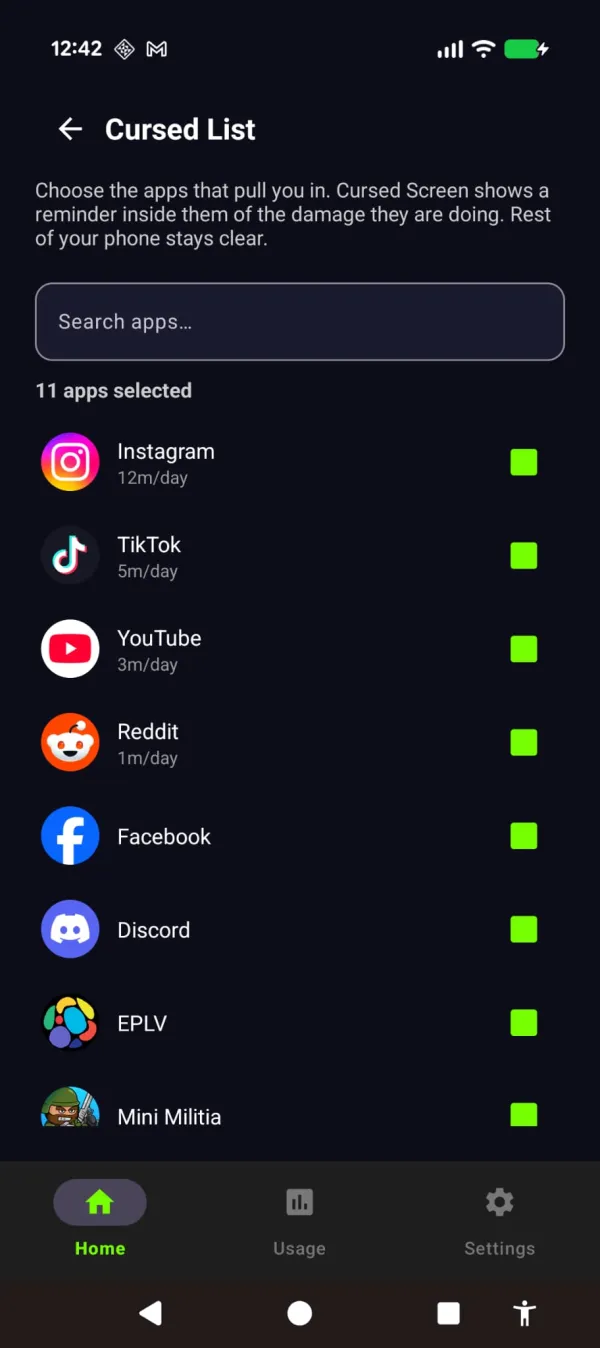
Cursed Screen approaches ADHD phone addiction differently. It doesn’t block anything (nothing to fixate on bypassing). It doesn’t add a cognitive task before opening apps (ADHD rushes through those). Instead, it makes the phone’s screen progressively ugly the longer you use it.
You pick the apps worth cursing. Everything else stays clean.
Why this matters for ADHD specifically:
Sensory, not cognitive. The overlay registers automatically. You don’t need executive function to notice your screen is covered in bugs. A timer notification requires you to read it, evaluate it, and make a decision. A screen crawling with insects triggers an instinctive avoidance response. ADHD impairs executive function. It doesn’t impair instinctive sensory responses.
No adaptation to bypass. ADHD brains are experts at routinizing and ignoring cognitive interventions (timers, prompts, reminders). Visual overlays that change intensity and type are harder to routinize because they’re variable and visceral.
Session-based tracking matches ADHD usage. ADHD phone use comes in intense bursts, not steady all-day use. A daily tracker penalizes the pattern. Session-based tracking with 3:1 decay matches it: burst, put down, burst again. Each put-down reduces the overlay.
Settings for ADHD:
- Grace period: 5 minutes (hyperfocus kicks in fast)
- Mode: intermittent (flashes interrupt the focus loop)
- Theme: Hell or Creepy Crawlies (strong sensory signals cut through ADHD distraction better than subtle ones)
The stack for ADHD
No single app solves ADHD phone addiction. The effective stack:
- Body doubling app for focused work sessions (external accountability)
- ADHD task manager for structuring the day (visual, not text-based)
- Friction app for casual phone checks (interrupt the autopilot)
- Visual deterrence for the extended scrolls that survive everything else
Cursed Screen has a free trial on Android. Subscribe monthly or annually, or pay once for lifetime access. It’s the layer that works when your executive function is offline — which, if you have ADHD, is most of the time. Your brain doesn’t need to decide to stop scrolling. The screen decides for you by looking wrong.
Reduce your screen time — without blocking anything
Cursed Screen makes your phone progressively uglier the longer you use it. No blocking, no willpower needed — you'll want to put it down.
Get Cursed Screen on Google Play