Best Screen Time Trackers for Android in 2026
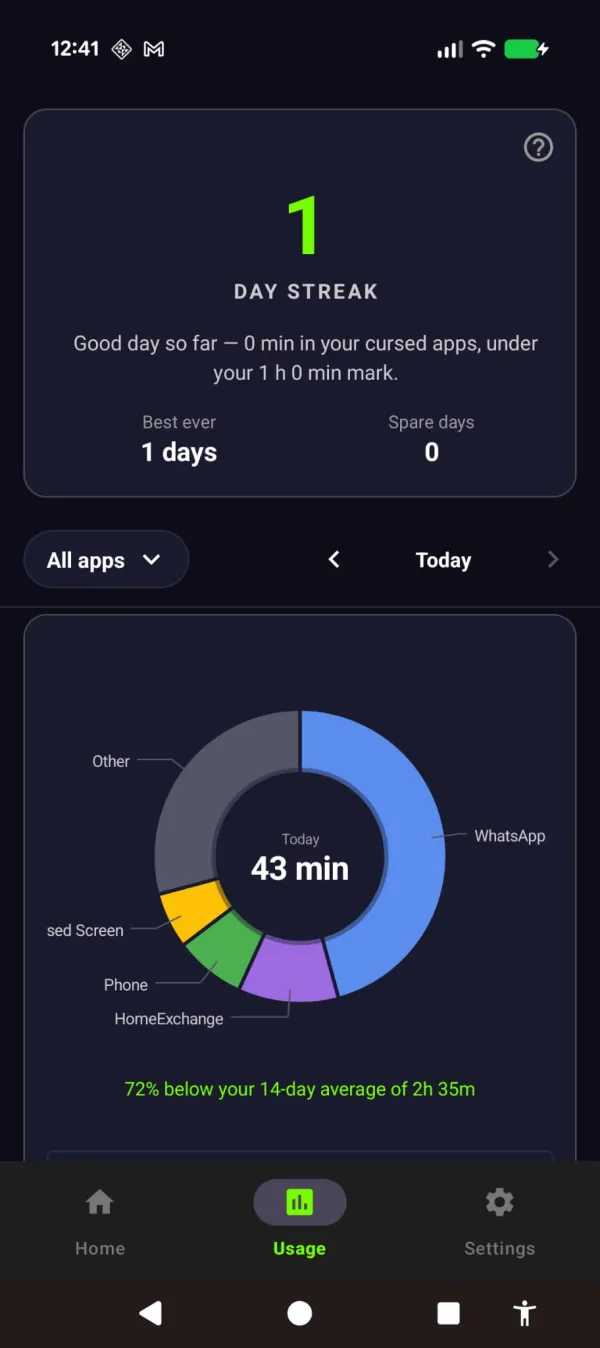
Disclosure: Cursed Screen is our product. Other apps evaluated from public data. Last reviewed: April 2026.
Android has a built-in screen time tracker. It’s called Digital Wellbeing. It shows your daily usage, app breakdown, unlock count, and notification count. And for most people, it stops there. You check the number, feel bad about it, and change nothing.
The problem with screen time trackers isn’t the data. It’s that data alone doesn’t change behavior. Knowing you spent 3 hours on TikTok yesterday doesn’t make you spend less time on TikTok today. If awareness were enough, the obesity epidemic would have ended when nutrition labels were invented.
Still, tracking is the starting point. Here are the best screen time trackers on Android and what each one actually does beyond showing you a number.
Digital Wellbeing (built-in)
Price: Free (pre-installed) | Rating: 3.5
Already on your phone. Shows daily screen time, per-app usage, unlocks, notifications, and app timers. Focus Mode pauses distracting apps. Bedtime Mode dims the screen and enables grayscale.
Good for: Quick dashboard check. No installation needed. Focus Mode is genuinely useful for scheduled work blocks.
Limitations: Google hasn’t updated it meaningfully in years. Only shows the current day and yesterday. No weekly trends, no historical comparison, no export. App timers are bypassed with one tap. The tool provides awareness without follow-through.
StayFree
Price: Freemium (in-app purchases) | Rating: 4.0 (5M+ downloads) | Platforms: Android, iOS, Windows, Mac, Chrome, Firefox
Cross-device screen time tracking with detailed usage history charts. Shows daily, weekly, and monthly trends. Includes app blocking, focus mode, sleep mode, overuse reminders, and website tracking.
Good for: People who want long-term trend data across multiple devices. The cross-platform support means you can track phone and laptop usage in one place.
Limitations: The free version has ads. Tracking accuracy varies across devices — some manufacturers (Samsung, Xiaomi) restrict background services that StayFree relies on. Users cite those inconsistencies in the 4.0-star reviews.
YourHour
Price: Freemium | Rating: 4.3 (5M+ downloads, 77K reviews) | Platforms: Android only
Phone addiction tracker with a gamified twist. Analyzes your usage patterns and assigns an “addiction level”: Addicted, Obsessed, Dependent, Habitual, Achiever, or Champion. Daily/weekly/monthly analytics with data export to PDF or XLSX. Includes app blocking and challenges.
Good for: People who respond to gamified metrics. The addiction level gives a clear benchmark. The challenges and badges create goals beyond just reducing a number. Data export is useful for sharing with therapists or accountability partners.
Limitations: Android only. The addiction labels may feel patronizing. Ads in the free version. No cross-platform support.
ActionDash
Price: Freemium, $7 one-time for premium | Rating: 4.7 (1M+ downloads) | Platforms: Android only
Enhanced Digital Wellbeing alternative with app launch history, notification history, unlock history, and a sleep mode. Premium adds data backup, dark mode, and more than 7 days of historical data. Also analyzes Gmail inbox habits.
Good for: People who want the best raw data without gamification or social features. The cleanest interface of any tracker. The one-time $7 premium price is the best value on this list.
Limitations: Android only. Primarily a tracker — the blocking/enforcement features are basic. The Gmail integration requires email access, which may raise privacy concerns. Has received fewer updates recently.
The tracker trap
Every screen time tracker has the same problem: they tell you what happened but don’t change what happens next.
You check your screen time on Monday. It says 4 hours 37 minutes. You feel motivated to reduce it. By Friday, it says 4 hours 42 minutes. Knowing the number didn’t change the number.
80% of smartphone users make rules for limiting phone use. Only 12% follow through with tools. Trackers are step one — becoming aware of the problem. But awareness without a mechanism for change is just guilt with a dashboard.
The screen time tracker that actually works is one paired with a consequence or intervention. Tracking + blocking (StayFree or YourHour’s built-in blockers). Tracking + friction (pair Digital Wellbeing with ScreenZen). Tracking + visual deterrence (pair any tracker with Cursed Screen).
Tracking + visual deterrence
Cursed Screen isn’t a screen time tracker. It doesn’t show charts or daily breakdowns. Instead, it provides a real-time visual representation of your screen time by making your phone progressively ugly the longer you use it.
After a grace period, overlays creep in from the edges. Flames. Glass fracturing. Crawling insects. The overlay is the tracker. You don’t need to open an app to see your usage. Your screen shows it. Light overlay = moderate use. Heavy overlay = you’ve been on too long.
Use a traditional tracker (Digital Wellbeing, ActionDash) for the data. Use Cursed Screen for the consequence. The tracker tells you what happened. Cursed Screen changes what happens next.
Session-based tracking with 3:1 decay means the overlay responds in real time. Put the phone down and it improves. Pick it back up and it resumes. It’s a tracker you feel instead of read.
A streak and a usage count that reward the days you stay under. The number goes down, and you feel it.
What to install
Want the best free tracker? Digital Wellbeing (already on your phone) for daily data, plus ActionDash ($7 one-time) for historical trends.
Want cross-device tracking? StayFree across all your devices.
Want gamified tracking? YourHour with addiction levels and challenges.
Want tracking that actually changes your behavior? Pair any tracker above with Cursed Screen. Try it free. Subscribe monthly or annually, or pay once for lifetime access. The tracker gives you numbers. Cursed Screen gives you bugs on your screen. One of those changes behavior. It’s not the numbers.
Reduce your screen time — without blocking anything
Cursed Screen makes your phone progressively uglier the longer you use it. No blocking, no willpower needed — you'll want to put it down.
Get Cursed Screen on Google Play