Parental Control Apps Don't Work on Teens
Parental control apps assume the parent is the warden and the child is the prisoner. Block this. Monitor that. Get alerts when they open TikTok. Review their search history. Enforce a 9pm lockdown.
Your teen bypasses it within a week. Now they know how to use a VPN, and they trust you less than before you installed the software.
54% of parents believe their child is addicted to screens. They’re probably right. Teens aged 13-17 spend over 7 hours daily on screens outside of schoolwork — more screen time than they spend sleeping. 50% of teens identify as addicted to their phones, and 59% of parents agree. The problem is real. The parental control approach to solving it is not.
The surveillance model is broken
Traditional parental control apps like Qustodio, Bark, and Family Link work by giving parents remote control over their child’s phone. Block specific apps. Set time limits. Monitor messages. Get reports on what they searched, who they texted, how long they spent on YouTube.
This works when the child is 7. It breaks when they’re 13.
Teenagers are wired to push against external control. That’s not defiance. It’s developmental. Autonomy-seeking is a normal part of adolescence. When you install surveillance software on their phone, you’re not teaching them self-regulation. You’re teaching them to evade surveillance. They learn to use friends’ phones, create alt accounts, use browsers that don’t track, and clear their history. The skills they develop aren’t self-control. They’re counter-surveillance.
And you lose something harder to rebuild: trust. Almost half of teenagers already think their parents get distracted by their own phones. Installing monitoring software while you scroll Instagram at the dinner table sends a message that’s hard to unhear: “I don’t trust you, but I don’t hold myself to the same standard.”
Screen time limits hit the same wall
Built-in parental controls on Android and iOS let you set app timers and bedtime schedules for your child’s device. These are less invasive than full monitoring apps. They’re also less effective.
Your teen learns to dismiss the timer within the first session. On iOS, they figure out the Screen Time passcode (or you gave it to them for “emergencies”). On Android, they disable Digital Wellbeing in settings. Only 12% of smartphone users actively use built-in screen time limits. Teens are even less likely to keep them enabled than adults.
Time limits also create a binge dynamic. Your teen has a 2-hour daily limit on TikTok. They use the full 2 hours in a single session, scrolling as fast as possible to maximize what they can watch before the wall comes down. Total screen time drops. Quality of engagement doesn’t change. They’re still consuming 300 videos. They’re just doing it faster.
The real problem isn’t access
Your child doesn’t have a phone problem because you gave them too much access. They have a phone problem because the phone was designed to be addictive, and no one taught them how to recognize what that feels like.
Parental controls don’t teach recognition. They teach compliance (temporarily) or evasion (permanently). Your teen never learns to notice the moment when casual browsing tips into compulsive scrolling, because a parental control app does the noticing for them. Remove the app and they’re right back to 7 hours a day, with no internal signal telling them to stop.
The alternative is helping them develop that internal signal. Which is harder, slower, and less satisfying than installing an app with a dashboard. But it’s the only approach that survives past the age when you control their phone. The same logic applies to adults trying to figure out how to break phone addiction — the fix has to live inside them, not on a dashboard.
Think about it this way. In two years, your teen turns 18 and every parental control stops working. They have their own phone, their own plan, their own accounts. If the only thing standing between them and 7 hours of TikTok was your monitoring app, they’ll spend 7 hours on TikTok. If they’ve developed a visceral sense that extended scrolling feels wrong, they’ll put the phone down on their own. You’re not parenting for this year. You’re parenting for the year after you stop having access.
What if the phone taught the lesson instead of you?
This is the idea behind Cursed Screen. Instead of a parent blocking apps or setting limits, the phone itself changes as screen time accumulates.
After a configurable grace period, visual overlays creep in from the edges. Flames licking at the edges. Bugs crawling over the screen. Glass cracking. The longer your teen scrolls, the worse the phone looks. Nothing is blocked. All apps still work. All taps go through. The phone just progressively looks and feels wrong.
The teen keeps full control. There’s no surveillance, no reports sent to parents, no passcode to hack. The consequence is immediate, visual, and self-contained. They don’t need you to enforce it. The phone does the enforcing by becoming ugly.
This changes the dynamic from “my parent is controlling my phone” to “my phone is telling me I’ve been on it too long.” That’s a fundamentally different relationship. The authority isn’t external (parent, app, timer). It’s environmental. The phone changes, and the teen responds to the change, and over time they start associating extended scrolling with an unpleasant visual experience. That association is the internal signal that parental controls never build.
There’s also a positive mode. Instead of hellfire and bugs, the screen flashes with aurora borealis or golden sunlight between scrolling sessions, with text that says “the world misses you” or “someone is smiling nearby.” For teens who respond better to a gentle pull than a visual punishment, this mode reminds them what they’re missing instead of punishing them for staying. Some teens will respond to bugs on their screen. Others will respond to a flash of sunlight reminding them it’s nice outside. Let them choose.
For parents who scroll too much themselves
Be honest. You’re reading this article about your teen’s screen time. How much of your own screen time today was intentional?
49% of parents rely on screen time every day to manage parenting responsibilities. 28% hand over a screen to avoid a meltdown multiple times a week. Your relationship with your phone is your child’s first model for their relationship with theirs.
Install Cursed Screen on your phone first. When your kids see hellfire creeping across your screen and you put the phone down, that’s modeling. That’s a conversation starter. It’s more credible than a lecture about screen time limits from someone whose own phone logs 5 hours a day.
Kids learn screen habits from watching you, not from hearing you. If your phone sits face-up on the dinner table and you glance at every notification, your teen will do the same thing regardless of what rules you set for them. If your phone is visibly cursed and you put it away because the edges are on fire, that communicates something words never could.
The family version of this: everyone installs it. Parents and teens. Same app, same rules, same visual consequence. No surveillance. No hierarchy. Just phones that get ugly when anyone uses them too long. The dinner table conversation shifts from “get off your phone” to “look how bad my screen is” — which is a much better conversation.
The practical setup for families
If you’re going to try this approach:
- Install together. Don’t put it on your teen’s phone secretly. That’s just another parental control with extra steps. Sit down and set it up as a family.
- Let your teen pick their theme. Hell, bugs, cracking glass, or the positive themes (aurora, sunlight with encouraging messages). Giving them the choice reinforces that this is their tool, not your enforcement.
- Set reasonable grace periods. 30 minutes of free use before the overlay starts is a good baseline for daily tracking. For shorter sessions after school, try session-based tracking with a 10-minute grace period.
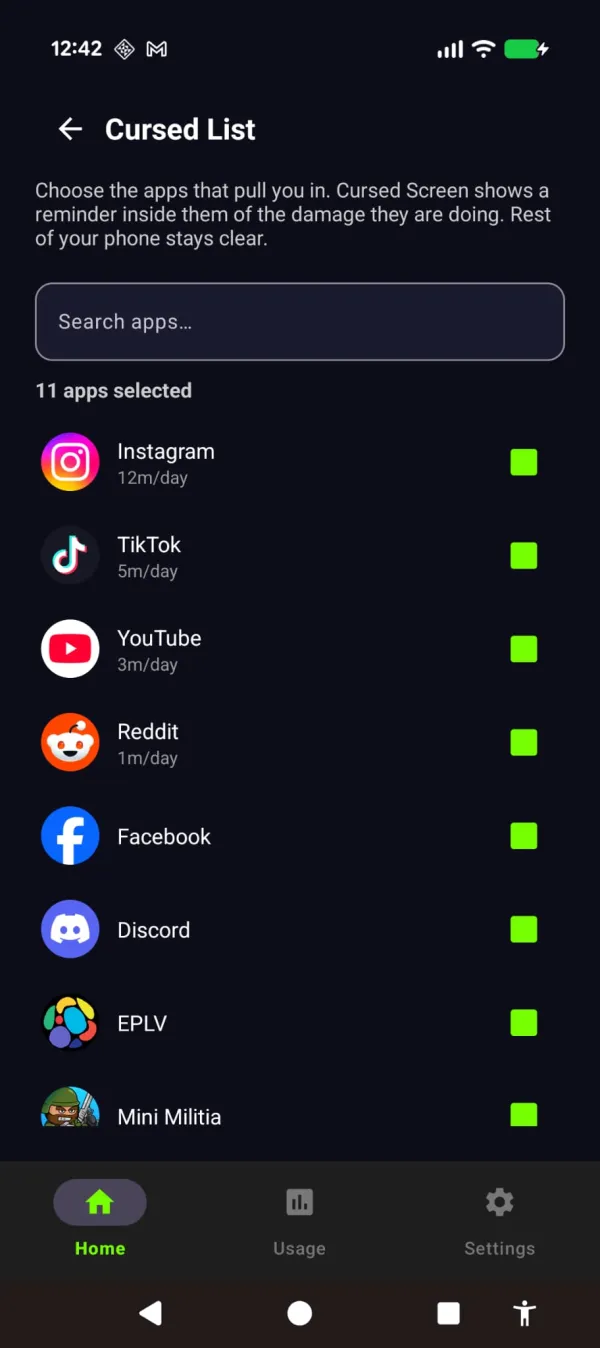
- Whitelist apps that matter. Messaging apps, school tools, music. The overlay should target the scroll, not the group chat.
- Don’t monitor their settings. If they change the grace period or turn it off, that’s their choice. The point is self-regulation, not parent-imposed regulation. If they turn it off and go back to 7 hours a day, that’s a conversation, not a settings change you make on their behalf.
You choose what gets cursed and what stays untouched — together, out in the open.
Cursed Screen has a free trial on Android. Subscribe monthly or annually, or pay once for lifetime access. No accounts. No personal data collected. No parent dashboard. Just a phone that looks worse the longer you stare at it — for everyone in the family equally.
Reduce your screen time — without blocking anything
Cursed Screen makes your phone progressively uglier the longer you use it. No blocking, no willpower needed — you'll want to put it down.
Get Cursed Screen on Google Play